Bring your video.
Paste a link or upload a video.
YOUR VIDEO. THE BEST PARTS.
Find the moments. Add the captions. Make it yours.
Smart picks sends your transcript to an AI service.
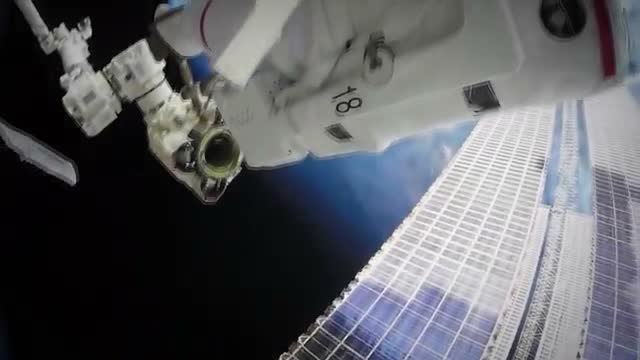
NASA footage · editing demonstration · no endorsement.
LESS EDITING. MORE CREATING.
Paste a link or upload a video.
Get a short list of complete moments.
Fix a word, choose a look, download.
MAKE ROOM FOR YOUR MOMENT
ADD YOUR TAKE
NASA + Max Medyk / Pexels · staged editing demo
SEE WHAT YOU GET
Keep the moments that stand on their own. You choose which ones to share.
A LITTLE ROOM TO CREATE
60 free source minutes each month.
Free
60 source minutes / month
Starter
150 source minutes / month
$15 billed monthly. Monthly plan only.
Pro
ROOM TO GROW300 source minutes / month
$29 billed monthly.
One credit covers one source minute. Paid monthly credits last 60 days. Annual Pro includes 3,600 credits upfront, valid for 12 months. No automatic overage charges.
Use vertical 9:16 MP4s for TikTok, Instagram Reels, YouTube Shorts and Facebook Reels. Square 1:1 suits feed layouts; landscape 16:9 suits standard YouTube videos and websites. Download your export and upload it to your account. Platform badges identify destinations and are not added to your video.
Paste a public or unlisted YouTube link or a shared Google Drive video link, or upload an MP4, MOV or WebM. Drive files need Anyone with the link access and downloads enabled. Private account connections are not available yet.
Yes. Choose “Add captions” in the studio for a video up to 90 seconds. You can correct words, change styles, and download the captioned video or subtitles.
No. Download your MP4 and upload it yourself. Direct posting and scheduling are not included yet.
English speech, video files up to 12 GB and 6 hours, and exports up to 90 seconds each. Automatic selection ranks up to 100 moments, best first, and renders the top 5–10 as clips with a hook headline. Turn any other ranked moment into a clip with one tap. Videos queue when processing capacity is unavailable. Failed jobs return your minutes.
No tool can guarantee that. Gen Lyra helps you find complete moments and make them easier to watch. You make the final editorial choice.
IT’S ALREADY IN YOUR VIDEO.
YOUR CLIP STUDIO
MP4, MOV or WebM · up to 12 GB
Local preview · projects stay on this Mac. Smart picks send the transcript to an AI service.
You can leave this page and come back.